🚀 Page 3 of 3 — Before your launch call
Get ready for your launch call
5 things to do, in order, top to bottom.
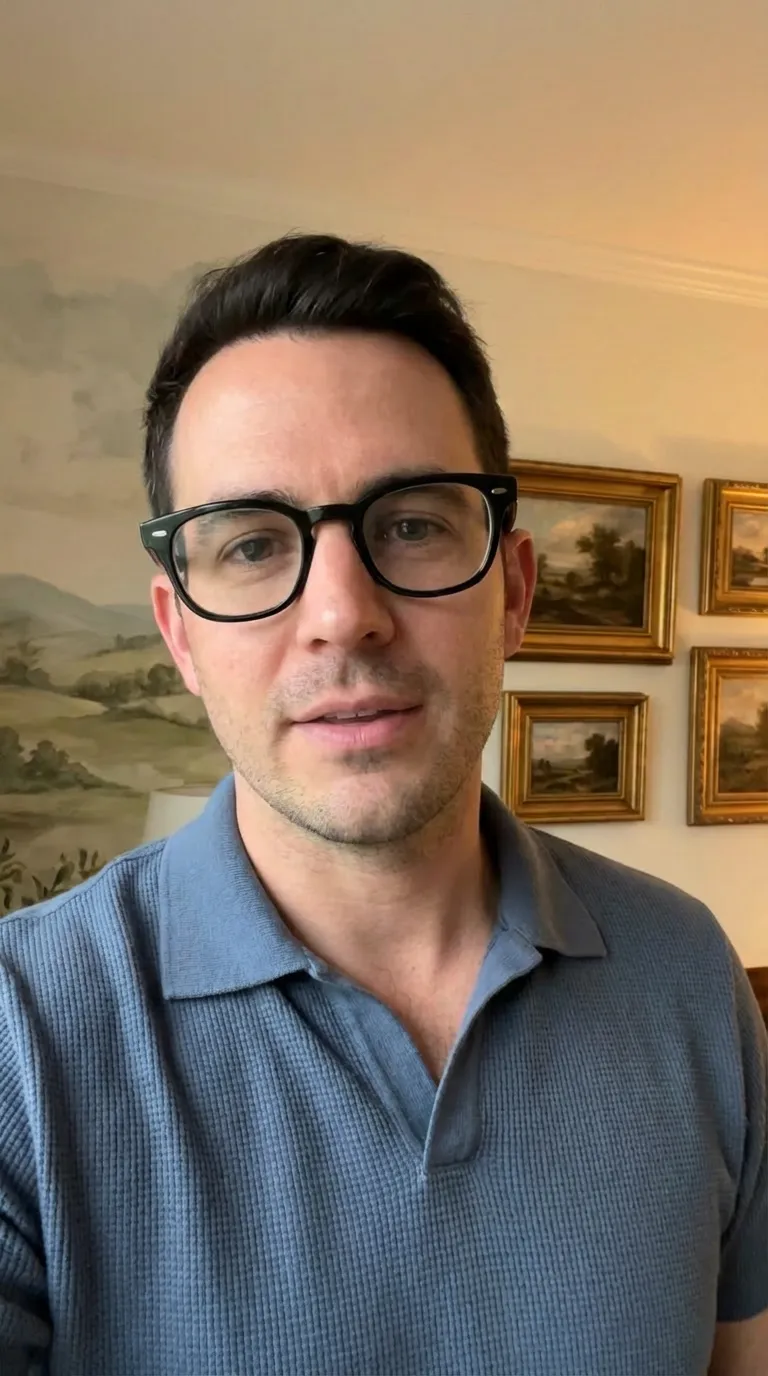
This video replaces the instructions. Watch it, then copy it.
1
Film your footage
Your phone only — no crew, no gear
Set up like this:
Copy this:
✓Phone at eye level, propped up
✓Light in front of you, not behind
✓Somewhere quiet
✓Eyes on the lens
Avoid these three
What to film:
🗣️
You, talking to the camera60 seconds is plenty
Need this one
Got a spare few minutes on site?
Optional
Any of these makes your ads work harder. Grab what you can — one is fine, none is fine too.
🏡A finished job — slow pan around it
⭐A happy customer — a few words from them
🔄Before and after — same angle, both ends
💡One handy tip — something you'd tell a mate
Don't try to make it perfect.
We cut, caption and edit everything. You just talk.
2
Send your footage within 72 hours
Straight into your Slack channel
- 1Open your Slack channel.
- 2Attach every clip you filmed.
- 3Send. Don't trim or edit them first.
72 hours keeps your launch date.
Once your clips land, we turn them into your ads within 48 hours and have you ready to launch. Late footage pushes your launch date back.
3
Send us anything we're still waiting on
2 minutes — catch-all, so nothing's missing at launch
Quick check — did any of these get skipped earlier?
✓Polo, on-the-job, team and before & after photos
✓Facebook access confirmation screenshot
✓Signed agreement
Anything missing holds up your launch date.
Post anything missing in your Slack channel, then tick this off. If you've already sent the lot, just tick it now.
4
Set up and log in to your CRM
5 minutes — this is where your leads land
- 1Find the login email from us.
- 2Log in and set your password.
- 3Connect your calendar so customers can book.
- 4Download the app on your phone.
1
Getting the CRM on your phone and desktop
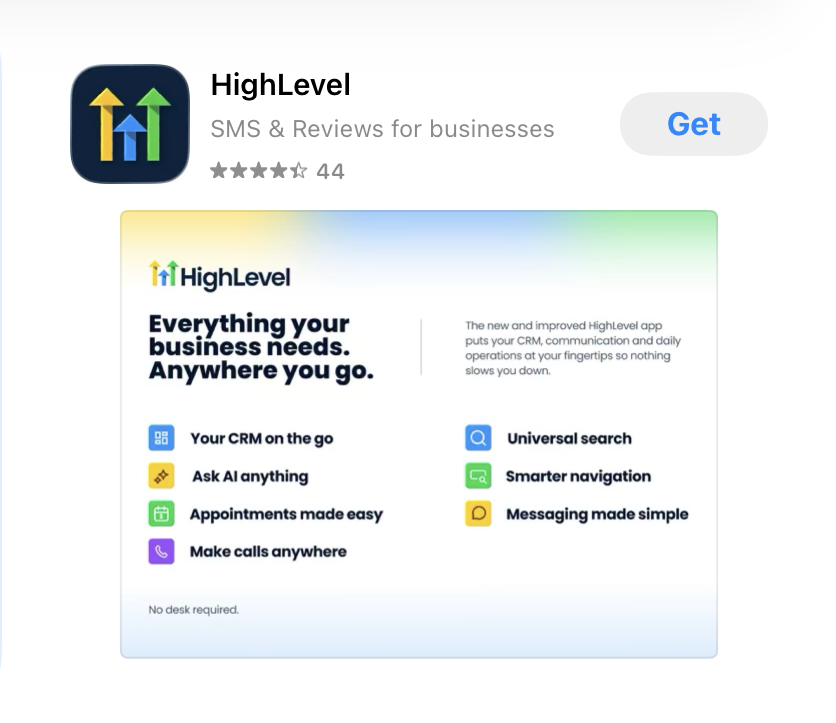
1. Search HighLevel in the App Store or Google Play
2. Tap Get or Install to download it
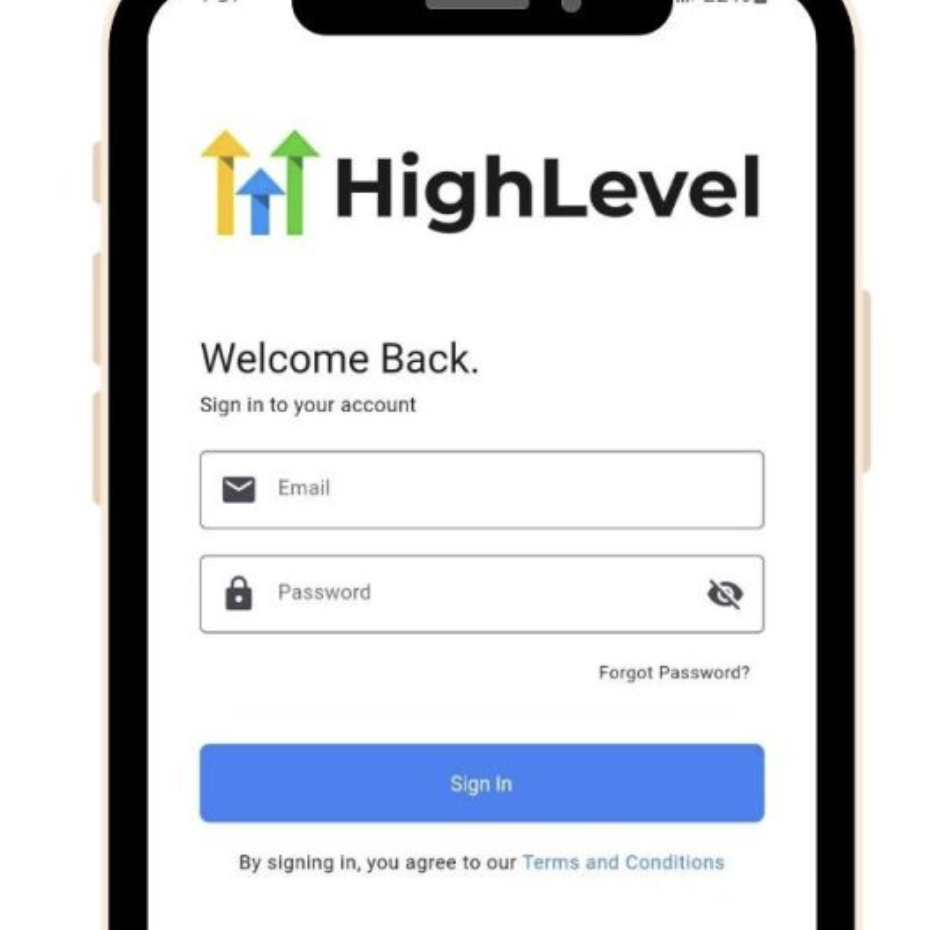
3. Log in with the same email and password as above
2
Connecting your calendar
5
Watch all the training videos
Four sections — tap one to open its topics
Seven short topics. Tap one to watch it.
i
The different stages of a deal
▾
Jump points are timed to the desktop recording — on the phone cut they land close, but not exact.
ii
Accessing opportunities and conversations
▾
Your two main hubs — Conversations for every message, Opportunities for every deal.
Jump to a section
Jump points are timed to the desktop recording — on the phone cut they land close, but not exact.
iii
How to create, drag and drop opportunities
▾
Jump points are timed to the desktop recording — on the phone cut they land close, but not exact.
iv
Tagging lost reasons (and why it matters)
▾
Jump points are timed to the desktop recording — on the phone cut they land close, but not exact.
v
Adding notes and follow-up tasks
▾
Jump points are timed to the desktop recording — on the phone cut they land close, but not exact.
vi
The Performance DashboardNeeds recording
▾
[PERFORMANCE DASHBOARD VIDEO]
Phone + desktop still to be recorded
The mistakes that cost you leads — pulled from the Best Practices recording.
Jump to a section
Jump points are timed to the desktop recording — on the phone cut they land close, but not exact.
B
CRM (We're Calling Your Leads)
Not yet
▾
Our team calls, qualifies and books your leads. Four short videos on how it works.
i
Before we start: what we need from you
▾
The five things our setters need before they call a single lead for you.
ii
What happens with all your leads
▾
How every lead is called, qualified and followed up.
iii
What it looks like when we book one
▾
How you're notified of a booking and what to read before the consult.
iv
You've called the lead: what happens now?
▾
How to update the CRM after you've spoken to the lead.
Two optional extras once you're comfortable with the basics.
i
Booking in your own onsite consultations
▾
Booking an onsite straight onto the opportunity card.
Jump points are timed to the desktop recording — on the phone cut they land close, but not exact.
ii
AI-assisted phone bookings (optional)
▾
Bot in action
Client-side walkthrough
D
What we need from you
Not yet
▾
Once the ads are live, this is the whole job on your side.
⚡
Answer fast
Every lead, within 5 minutes if you can
📋
Keep the CRM updated
Move each deal as it changes
🏷️
Tag your losses
So we know who to stop targeting
That's it — we handle the ads.
Answer your leads fast and keep the CRM tidy. Everything else is on us.
Your next action
All 5 ticked? You're ready to launch.
Post a quick message in your Slack channel and we'll book your launch call and go live.
Back to Welcome ↺